What Steam Gems Are and Where They Come From
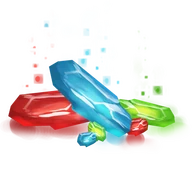
Gems are a Steam Community resource you get by breaking down items you don't need: select an item in your inventory and choose "Turn into gems." How many gems you get depends on the item and the game, and the item can't be restored afterward.
They're kept in the Steam section of your inventory. Loose gems can't be sold on the Community Market; for that there is the Sack of Gems, a single item holding exactly 1,000 gems. A sack can be traded, sold on the Market, or unpacked back into loose gems at any time.
Where gems come from:
- trading cards, both regular and foil;
- profile backgrounds;
- emoticons;
- ready-made Sacks of Gems, bought on the Market or received in trades.

TF2 Keys: The Currency of Steam Trading
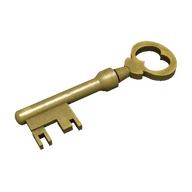
A TF2 key is the Mann Co. Supply Crate Key from Team Fortress 2. In the game it opens Mann Co. Supply Crates. New keys are sold by Valve in the in-game Mann Co. Store; keys never drop and can't be crafted, so you either buy one or get it from another player.
That gives keys steady demand and a value every trader understands. Steam Wallet funds can't be sent to another person, but a key changes hands in a normal trade, even between accounts in different regions and currencies. That's how TF2 keys became the standard unit of Steam trading: people use them to pay for card sets, games and bot services, including ours.
Gem and TF2 Key Swap Rates
You won't find fixed numbers here, and that's deliberate: Market prices for Sacks of Gems and TF2 keys change every day, and an outdated rate on a web page would only mislead you. Send the bot !rate to see its current rate in both directions, and for a quote on a large amount you can ask us on Telegram.
| Direction | You give | You get | Where to check the rate |
|---|---|---|---|
| Gems → TF2 keys | Loose gems, not sacks | TF2 keys | From the bot: !rate |
| TF2 keys → gems | TF2 keys | Gems | From the bot: !rate |
| Bulk swap | A large amount of gems or keys | TF2 keys or gems | On Telegram, before trading |
How to Swap Gems for TF2 Keys (and Back)
Every swap is a regular Steam trade offer, so you never share your login or password. Here's the process:
- Get your items ready: the bot accepts only loose gems, so unpack any Sacks of Gems before the swap. For the reverse swap, keep TF2 keys in your inventory. Make sure the items are tradable: recently purchased items show a date before which they can't be traded.
- Open the bot's profile with the "Swap gems" button on this page, so you know you're dealing with our bot and not an impersonator.
- Send the bot
!rateto check the current rate, and!helpfor its other commands. Start the trade the way the bot's profile describes. If anything is unclear, ask on Telegram. - Review the offer: the right items, the right amounts, and the same bot you opened. Then confirm it in the Steam Guard Mobile Authenticator.
- The bot processes the swap automatically, and your TF2 keys or gems land in your inventory.
What to Do with Steam Gems: Booster Packs and Leveling
The classic use is booster packs. Steam lets you turn gems into a booster pack for a game with trading cards in your library: three random cards, sometimes including a foil. The gem cost depends on the game, and you can create a booster pack for the same game no more than once a day.
If your goal is a higher Steam level, complete card sets are the more reliable route: a booster gives you three random cards, while a full set crafts straight into a badge level worth 100 XP. Our level-up bots accept gems and TF2 keys and have 600K+ card sets in stock; see our Steam level-up page for details.
There are other options too: sell sacks on the Community Market for Steam Wallet funds, or swap your gems for TF2 keys with our bot if you need keys for other trades.
Bulk Gem and Key Swaps
The bot handles large volumes too: big batches of gems and TF2 keys go through the same automated processing. For a very large swap, message us on Telegram first so we can confirm the rate and stock and the trade goes through in one go.
Resellers and shops can also buy Steam keys (minimum order: 5,000 keys) and card sets wholesale; see the Wholesale section on our homepage.
TF2 Keys ⇄ USDT/USDC: Coming Soon
We'll soon launch a zero-fee swap between TF2 keys and the USDT and USDC stablecoins, in both directions. It isn't live yet: there are no rates and no orders for now. We'll announce the launch, supported networks and terms in our Steam group (opens in a new tab) and Telegram group (opens in a new tab).